


House Design 3D - Home Planner
3.596.00 Reviews
App Specs
- Version
- 2.8.1
- Updated On
- License
- Free
- Downloads
- 1,000,000+
- Developer
- Digital Grace App
- Categories
- House & Home
- Platform
- Android
Screenshots

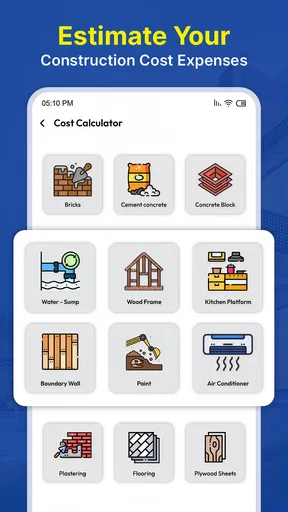
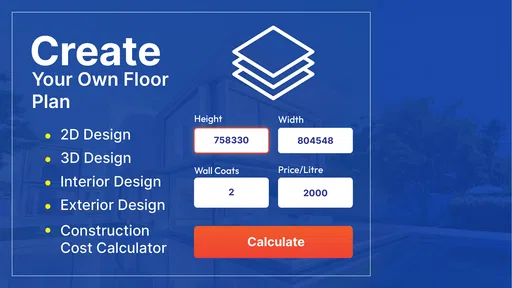
 Analysis by AppCompare
If you've ever dreamed of becoming your own interior designer, House Design 3D - Home Planner is your ultimate go-to app. It’s like having a full toolkit in your pocket, ready for when inspiration strikes. Let me walk you through my experience with this gem of an app!
Getting Started
First things first, downloading House Design 3D - Home Planner was a breeze. Available for both Android and iOS, it took me just a couple of clicks to get it up and running. Once inside, I was greeted with a clean and intuitive interface. No need to be a tech wizard here, folks. Everything is laid out in a way that even beginners can navigate with ease.
Features That Stand Out
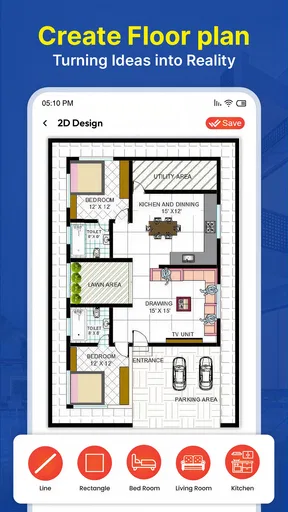
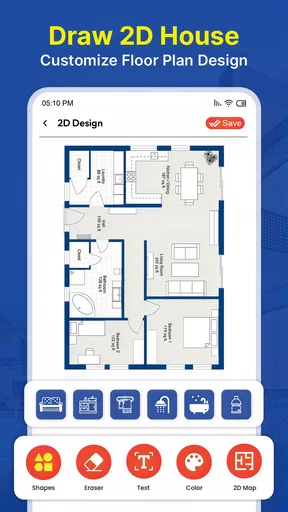
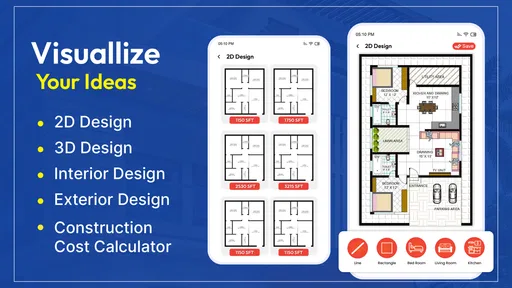
What really had me hooked were the myriad of features that this app packs. Imagine being able to draw your own floor plans with just a few swipes of your finger. No rulers, no pencils—just your smartphone or tablet. You can create rooms, adjust dimensions, and even set the thickness of walls. It’s all so incredibly detailed.
But wait, there’s more! The app allows you to furnish your spaces with a vast array of furniture and accessories. From sleek modern sofas to cozy rustic tables, the choices are endless. I found myself spending hours just experimenting with different styles and layouts. It’s like playing a game, but with real-life benefits.
Flexibility and Customization
One of the most impressive aspects is the customization. You can experiment with different color schemes, textures, and materials to get the exact look you’re going for. Want to see what your living room would look like with hardwood floors instead of carpet? No problem. Just a few taps and you’re there.
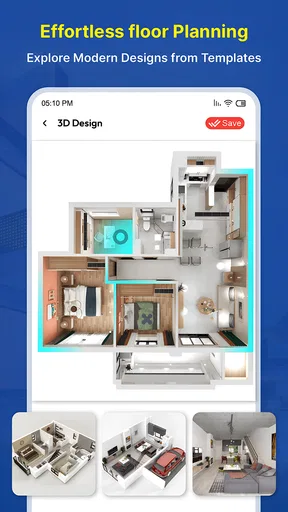
The 3D view feature is another highlight. Once you’ve got your design down in 2D, you can switch to a 3D view to get a more realistic perspective. Walking through your creation in a virtual environment is not only fun but also incredibly helpful for visualizing the final result.
Sharing and Collaboration
After creating your masterpiece, the app makes it easy to share your designs with others. Whether you want to show off to friends or collaborate with a professional designer, you can export your projects in various formats. It’s particularly handy if you’re planning to do some renovations and need to communicate your ideas clearly to contractors.
Worth Reading Before You Choose

Flipboard Shows What News Apps Must Do Beyond the Feed

Switching to Android Auto Means Rethinking Your Driving Routine

Google Calendar Makes a Crowded Week Easier to Manage

Ludo King Makes the Most of the Minutes Between Plans

Baby Panda World Brings Quick Play to Modern Phones, but Its Game Library Feels Busy

ESPN’s Live Game View Makes Following Close Games Easier
Learning Curve
Now, let’s talk about the learning curve. While the app is user-friendly, it does offer a lot of features, which can be a bit overwhelming at first. I recommend spending some time exploring all the tools and options. There are handy tutorials and guides within the app that can help you get the hang of things quickly.
The Final Touch
What I truly appreciate about House Design 3D - Home Planner is how it bridges the gap between amateur and professional design. Whether you’re just dabbling in interior design or have a full-scale renovation project in mind, this app has something to offer. It’s a creative outlet that lets you experiment without the commitment of real-world changes.
In summary, if you’re looking for an app that’s both fun and functional, this one is definitely worth a download. It’s like having a mini design studio in your pocket, always ready to help you create the home of your dreams.
Ready to unleash your inner designer? Give it a try and see where your creativity takes you!
Pros
- User-friendly interface for beginners.
- Extensive library of design elements.
- Offline mode available for convenience.
- Realistic 3D visualization of designs.
- Supports multiple floor plans.
Cons
- Limited free features in basic version.
- Occasional app crashes reported.
- Some features require in-app purchases.
- Rendering can be slow on older devices.
- No collaboration tools for team projects.
FAQs for House Design 3D - Home Planner
What platforms is House Design 3D - Home Planner available on?
House Design 3D - Home Planner is available on both Android and iOS platforms. This ensures that users can access the app whether they are using a smartphone or a tablet. It is optimized for various screen sizes, providing a seamless experience across different devices.
Does House Design 3D - Home Planner require an internet connection?
No, House Design 3D - Home Planner does not require a constant internet connection. Users can design and plan their homes offline, which is particularly useful for those who want to work on projects without being tethered to Wi-Fi or data services.
Are there any in-app purchases in House Design 3D - Home Planner?
Yes, the app offers in-app purchases. While the basic version is quite comprehensive, users can enhance their experience by purchasing additional features, such as premium furniture packs or advanced design tools, providing greater customization options for their projects.
Is House Design 3D - Home Planner suitable for professionals?
House Design 3D - Home Planner is ideal for both amateurs and professionals. While it offers user-friendly tools for beginners, it also includes advanced features that can meet the needs of interior designers and architects seeking detailed and professional-grade designs.
Can I share my designs with others using House Design 3D - Home Planner?
Yes, the app provides options to share your designs. You can export your projects in various formats or share them directly through social media and email. This makes it easy to collaborate with friends, family, or clients and receive feedback on your designs.


